
Conferences and conventions made easy
Multi-day events with registration, price tiers and check-in. For associations, societies and companies.
Tag 1
Tag 2
Tag 3
From planning to proof of attendance
How multi-day conferences and conventions typically run.
- 01
Create the conference
Days as dates, price tiers, venues and cancellation rules.
- 02
Open registration
Form, shop on the association website, reminders.
- 03
Steer the event
Keep dashboard, approvals and waitlist in view.
- 04
Run it
Scan tickets at the door and keep status up to date.
- 05
Proof
Attendance proof via certificates, invoices when needed.
 Events
Several days in one event
Add each day as a date. Assign tickets to one day or the whole conference, with capacity and waitlist. Per date: track, room, speaker and location notes. The venue appears on the map in the shop. Templates for yearly conferences. Cancellation rules with deadlines and refund rates.


Company registration and recipient rules
Company, billing address, meal preference: fields and conditional questions as needed. Names per ticket for group bookings. Invoice to the accounting address from an extra field, confirmation to the person registering. Under Reminders you control date reminders.
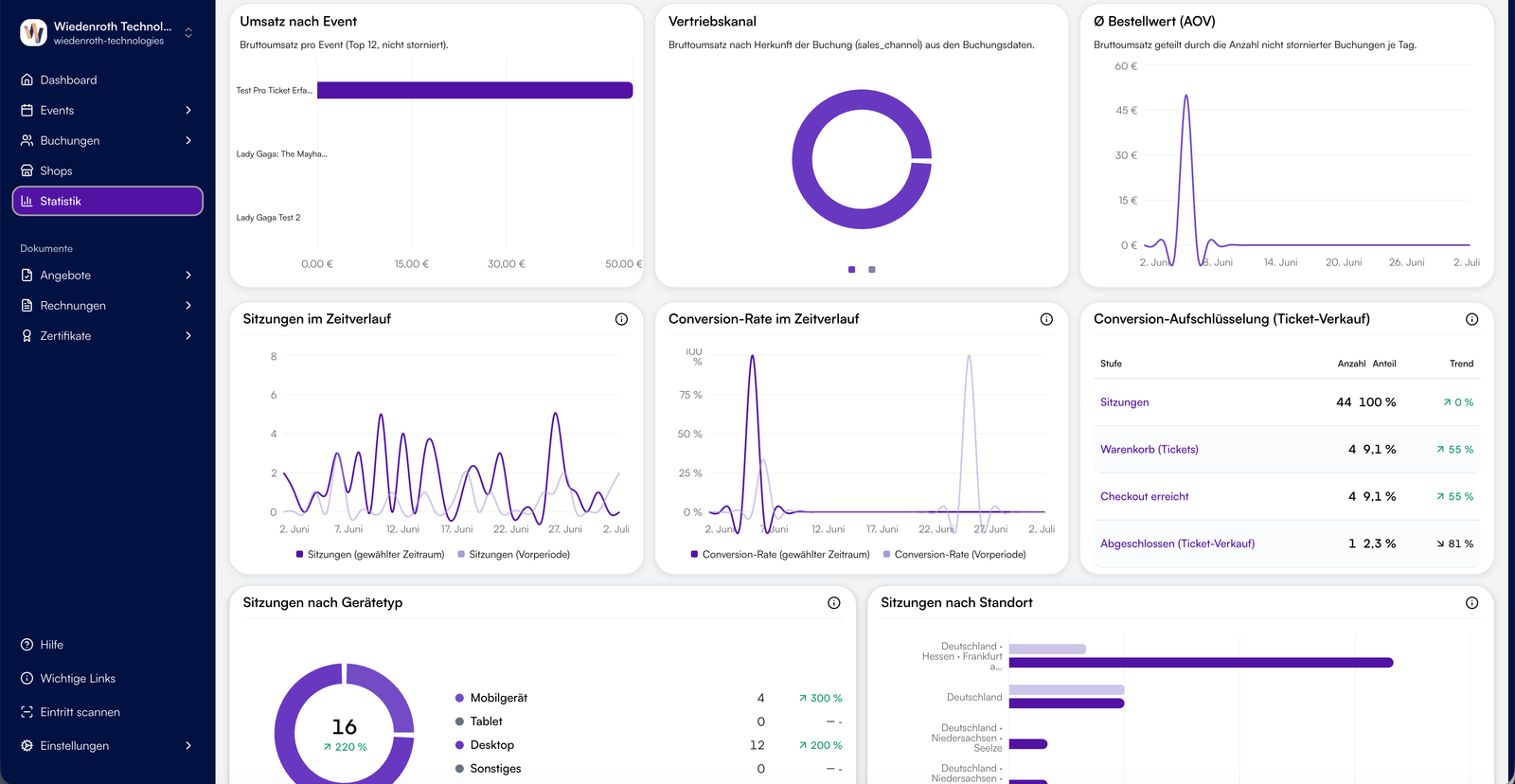
Event dashboard and live stats
KPIs for occupancy and revenue. Live stats show sales per date and price tier, including waitlists.
Shop on the association website
Theme, WordPress embed or custom domain, so registration appears on your association website.

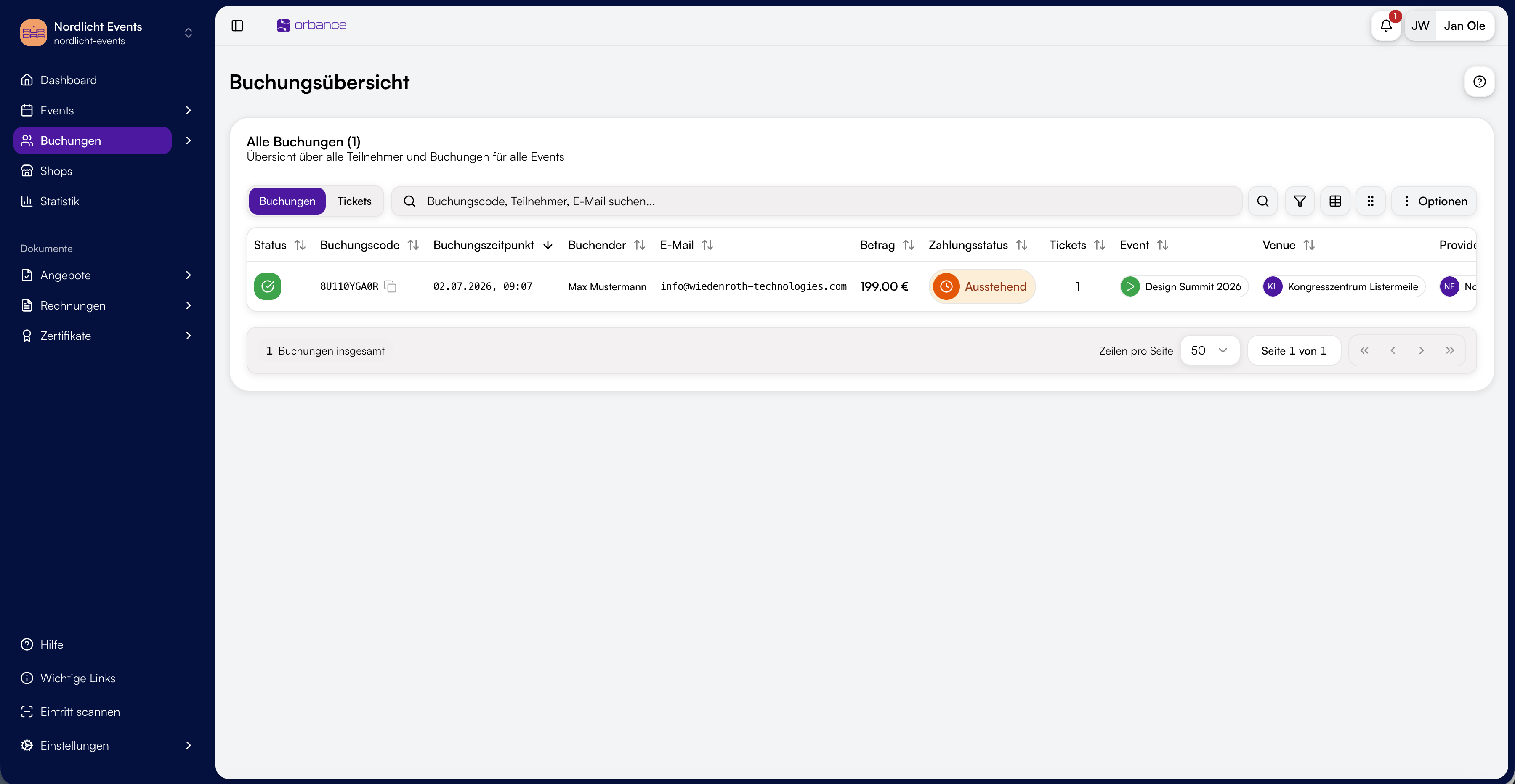
Registrations with overview and approval
Filter and add registrations. Booking with offer first sends the message with the booking link; the offer PDF follows separately. Booking with approval decides who is in. Accept, decline and booking confirmation use the recipient rules from the form.
Early-bird and member prices
Early-bird prices are a separate tier with a sales end date; member prices are protected with an access code. Guests pay online through Orbance Payments, by invoice or bank transfer.

Entry with QR, wallet and scanner
PDF and wallet tickets plus the scanner at the door. Several helpers can scan at the same time.
Eintritt scannen
- MMMax MustermannStehplatz
- MSMara SchulzStehplatz
- LBLukas BeckerStehplatz
- AKAylin KayaSitzplatz
Offers, invoices and proof
Offer and invoice PDFs with the Billing add-on. Included with Institutional. Paying by invoice or bank transfer also works without Billing and without a platform fee. Attendance proof is created with Orbance Certificates from the registrations.

How it looks in practice
Two short scenarios without customer names.
Association annual meeting
Each day is a date with location notes. Early-bird and member prices sit as tiers. The dashboard shows occupancy during registration.
Specialist congress with company sign-ups
Companies register several people. Offers and invoices follow recipient rules. After the event you create attendance proof via certificates.
These examples describe typical flows, not references.
Frequently asked questions
Add each day as a date and assign tickets: the day ticket to one date, the full pass to all dates.
Invoice documents, including e-invoices, are created with the Orbance Billing add-on. You can add it to any plan; it is included with Institutional. Paying by invoice or bank transfer also works without Billing and without a platform fee.
Companies register several people in one booking and enter a name per ticket. With Booking with approval you see who is coming beforehand.
Yes. Under Email recipients in the form you set who gets offer, approval, invoice or confirmation per message type, including extra email fields.
Yes. Events appear on the map in the shop. You add location notes per date.
Date reminders are controlled under Email recipients in the Reminders category. Cancellation rules with deadlines and refund rates live on the event.
Yes, with Orbance Certificates. You create them from registrations, one by one or for many bookings at once.
KPIs for occupancy and revenue plus live stats per date and price tier, including waitlists.
Start with your next conference
Registration, price tiers and check-in for associations, societies and companies.
Self-serve plans · Free to Orbit
Typical use cases
- Specialist congresses
- Association conferences
- Annual meetings
- In-house conferences
- Networking gatherings
- Multi-day specialist events