
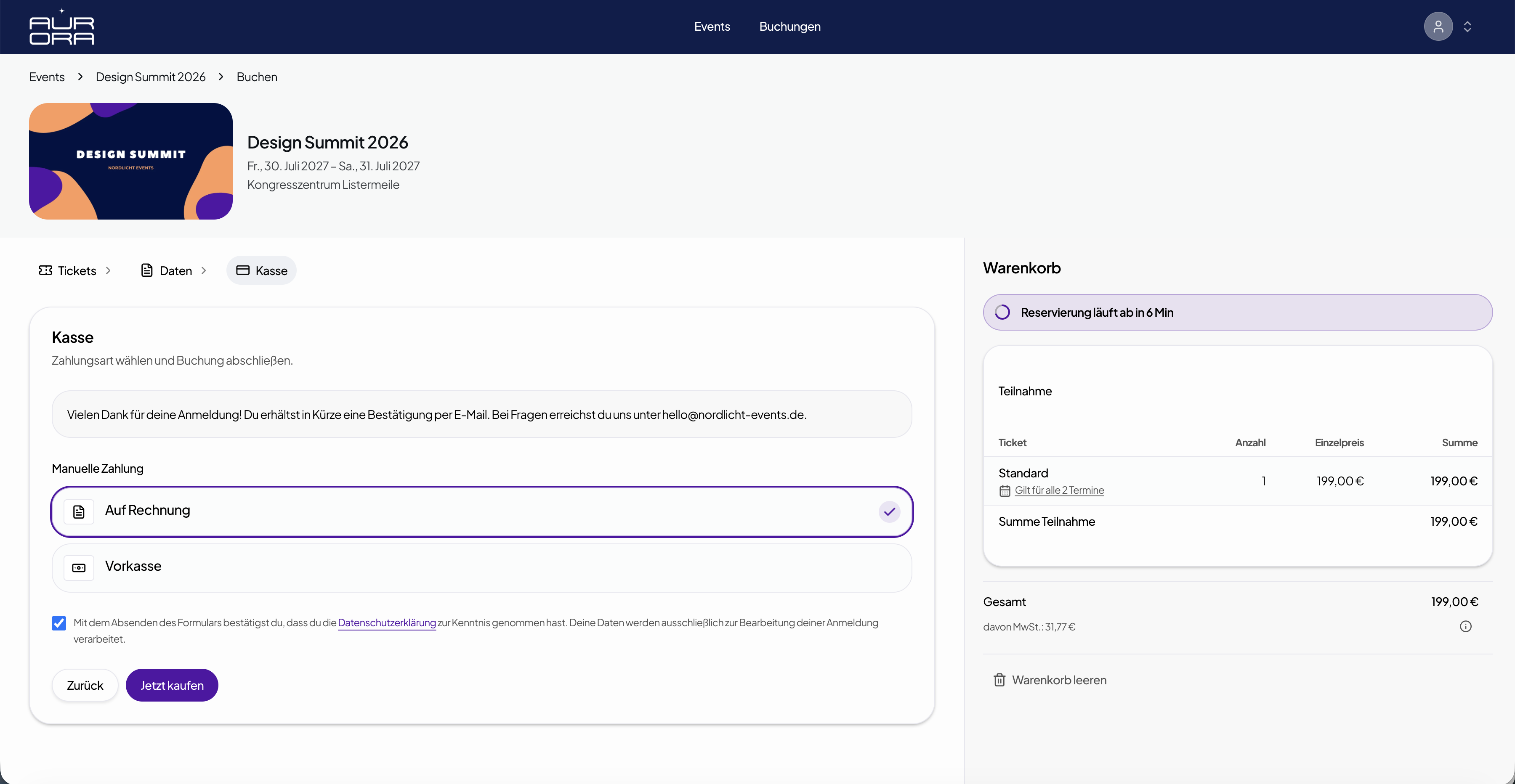
Checkout in the ticket shop
Visitors choose their payment method in the booking flow – card, PayPal and more via Orbance Payments in the Payment Element.

Accept online payments through Orbance Payments – including PayPal, card, Klarna and more. Enable offline methods and keep payouts, platform fee and payment status in view.
Powered by Stripe
Enable the methods that fit your events per organization – each active method appears in the ticket shop checkout.
One connection for all online payments: card, PayPal, Klarna, Amazon Pay, SEPA direct debit, EPS, iDEAL, Bancontact, Revolut Pay, Apple Pay and Google Pay – depending on activation in the portal.
One connection for all online payments: card, PayPal, Klarna, Amazon Pay, SEPA direct debit, EPS, iDEAL, Bancontact, Revolut Pay, Apple Pay and Google Pay – depending on activation in the portal.

 Checkout & payout
Customers pay in the ticket shop – you see status and transactions in Orbance and receive payouts to your bank account.
Visitors choose their payment method in the booking flow – card, PayPal and more via Orbance Payments in the Payment Element.
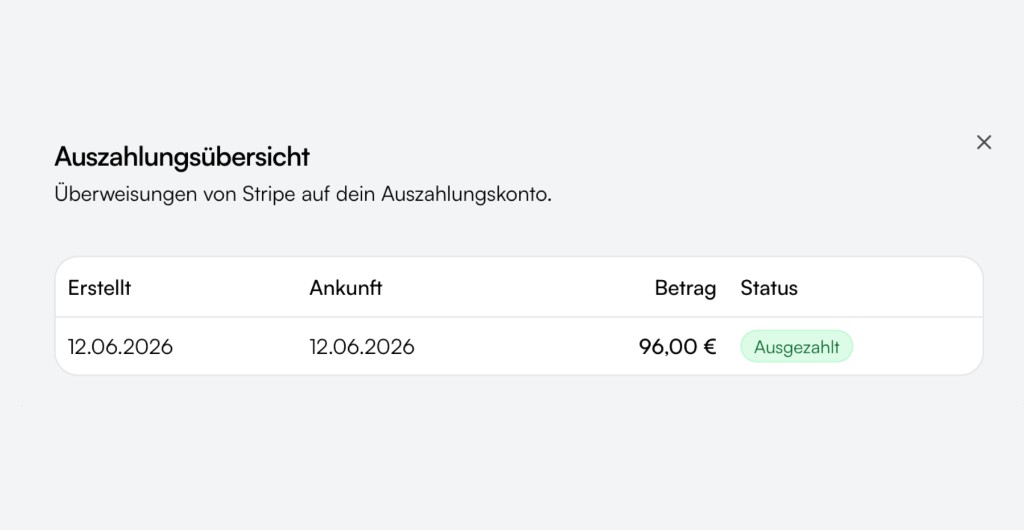
Payouts via Orbance Payments to your linked bank account – regardless of payment method, with overview in the portal.

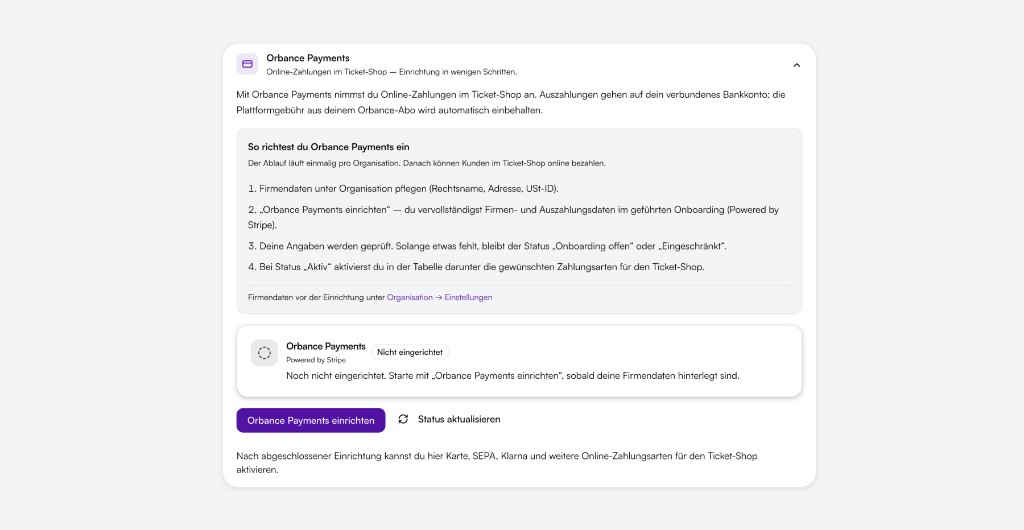
Set up Orbance Payments once per organization – with status from "Setup open" to "Active". Then enable the methods you want, including PayPal.

Pending, paid, partially paid, refunded or failed – per booking in overview and detail view.

Payment data is processed through certified providers – TLS-protected, without storing sensitive card data in your ticket shop.
Maintain company data in the organization, set up Orbance Payments through guided onboarding and enable the desired payment methods – including PayPal – for the ticket shop.
The customer pays the ticket amount – optionally plus ticket service fee. The Orbance platform fee is calculated on the ticket subtotal and automatically retained on payout.
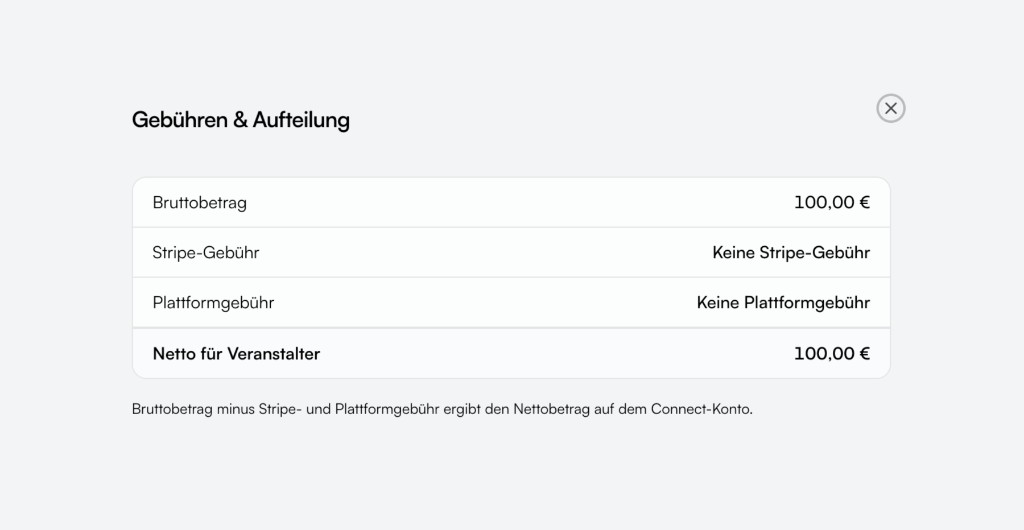
Fees and payouts are traceable – for you and your team.
One fee instead of two: the platform fee includes payment processing (cards, PayPal, wallets, etc.) – no extra line. Free 5%, Starter 4.5%, Space 4%, Orbit and Institutional 3.5%, min. €0.49 per ticket.
Optional surcharge in the ticket shop – independent of the all-in platform fee. You set percentage and/or fixed amount.
Payouts follow Orbance Payments timelines. In the portal you see status, amounts and history of your transfers.
Set up Orbance Payments and start ticket sales – including PayPal, with clear fees and full control in the app.
Related articles on this topic.
Short answers on payment methods, setup, fees and offline options.
Everything runs through Orbance Payments (Powered by Stripe): card, PayPal, Klarna, SEPA, Apple Pay, Google Pay and more depending on activation.
Yes – and with no platform fee. Invoice, prepayment or manual payment with your own instructions, without immediate online checkout. You enable methods in payment settings and they appear for selection in the ticket shop.
Under Settings → Payments, maintain company data first, start "Set up Orbance Payments" and complete onboarding. At "Active" status, enable the desired payment methods – including PayPal – for the ticket shop.
Yes. The all-in platform fee includes payment processing (cards, PayPal, wallets, etc.) – no extra line. Percentage of the ticket subtotal: 5% (Free), 4.5% (Starter), 4% (Space), 3.5% (Orbit and Institutional), min. €0.49 per ticket. See the pricing page for details.
In Bookings & attendees: payment status per booking, transactions and refunds in the detail view. With Orbance Payments additionally payout overview in the portal payments area.
Orbance brings event planning, ticket sales and teamwork together in one platform – so you can focus on what matters.