
Manage team and access
Invite team members, assign organization and provider roles and control who sees events, bookings, documents and settings.
 Organization
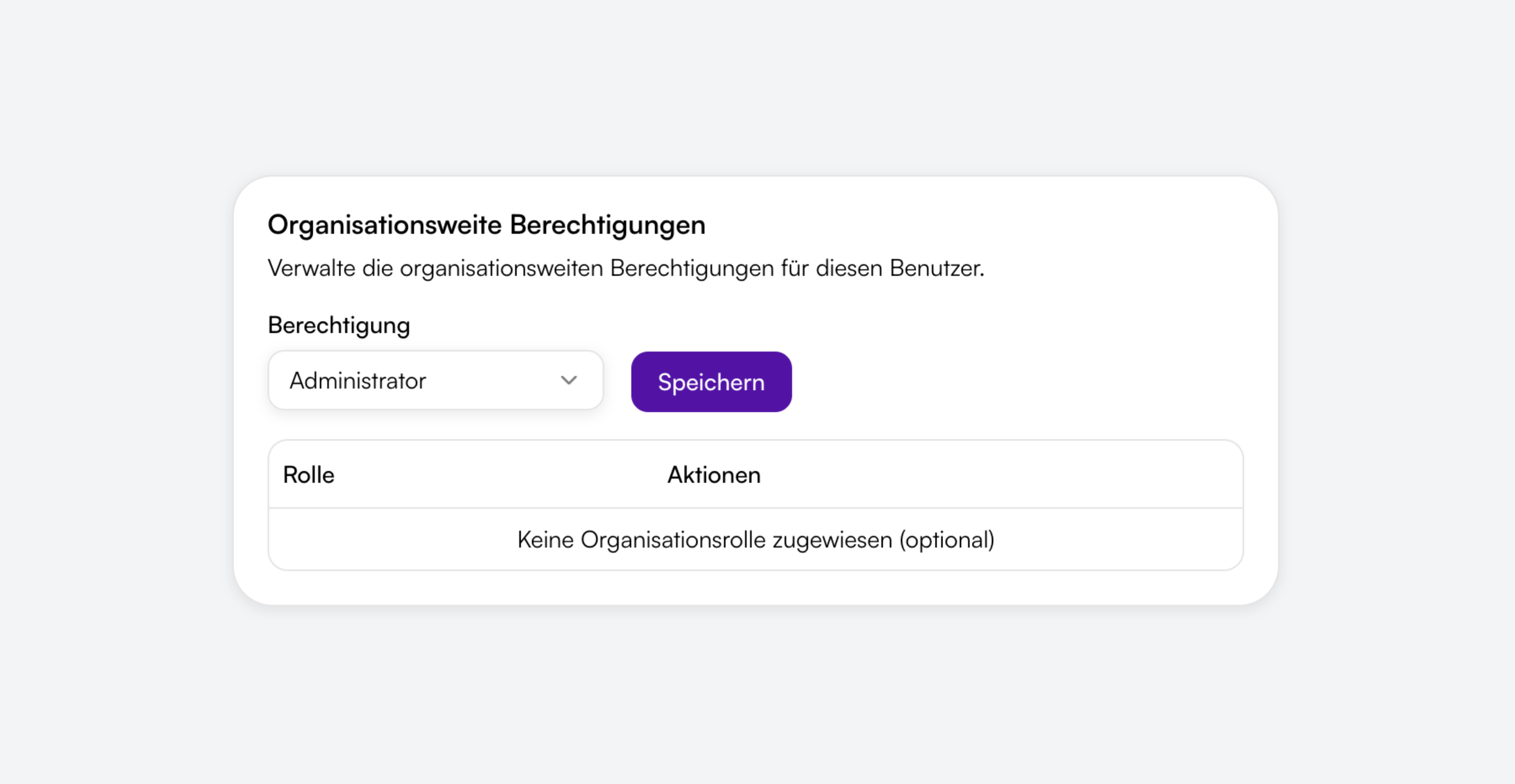
Organization roles
Super administrator, administrator, event manager, attendee manager, accountant and members – with access to all or selected areas of the entire organization.
 Provider
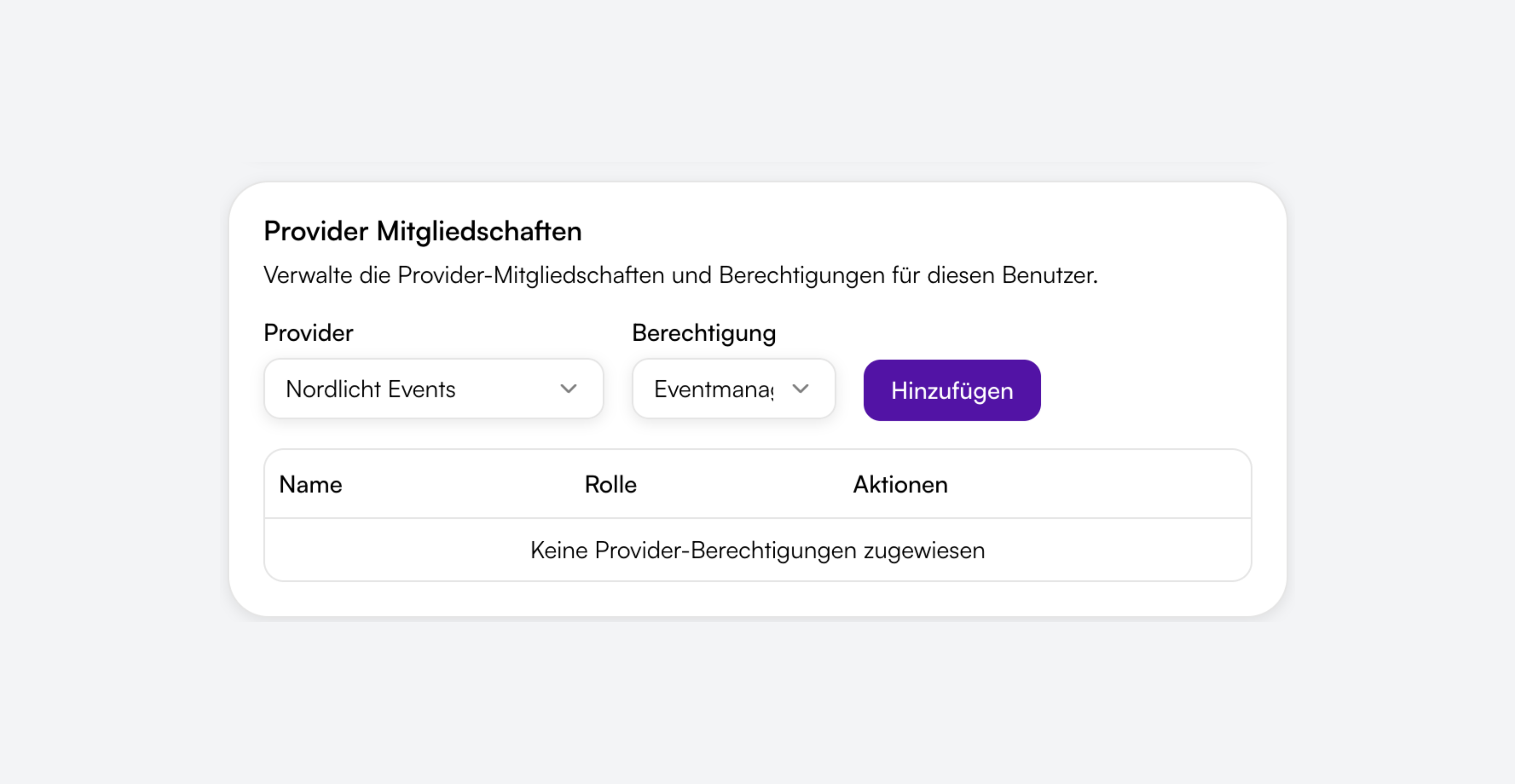
Provider roles per brand
Administrator, event manager or attendee manager for specific providers only – ideal when external teams should see one tenant only.
 Invitations
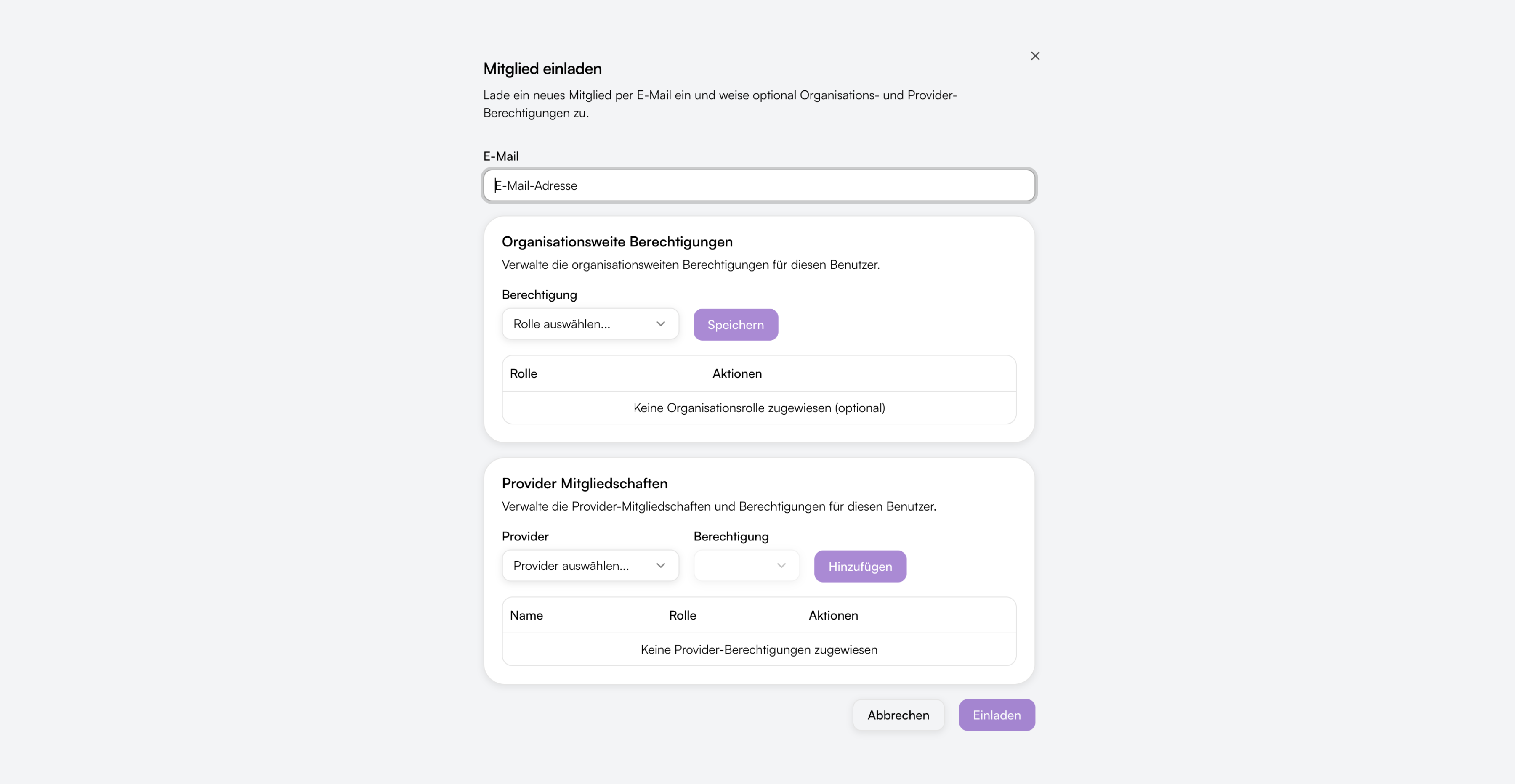
Invite and manage members
Invite by email, choose roles when inviting and manage open invitations – with a 14-day validity period for the link.

Clear rules, no surprises
Each role sees only the menu items and data it needs – the sidebar adapts automatically.

Organization + provider combinable
A user can have organization and provider roles at the same time – e.g. event manager for the whole organization and attendee manager for one provider only.

Events ≠ bookings
Event managers maintain events and shops – bookings and attendees are seen by attendee managers or administrators. Separate roles for separate tasks.

Documents organization-wide only
Offers, invoices and certificates are reachable via organization roles – not via provider roles. Plus Orbance Billing as an add-on.

Automatic data view
Users with provider roles only see automatically filtered lists – events, bookings and dashboard only for their assigned providers.
From invite to collaboration
Set up your team in four steps – with roles that match your processes.

Invite
Under Settings → Members you invite by email. Organization administrators manage the entire organization, provider administrators only their providers.

Assign roles
Choose organization and/or provider roles when inviting. Multiple roles per person are possible – e.g. event manager and attendee manager together.

Limit access
Provider roles restrict visibility to specific brands. Organization roles apply to all providers – depending on the chosen permission.

Work together
Each team member sees only the areas of their role: events, bookings, documents, shops or settings – without unnecessary access.
Organization, providers and plans
Team access builds on the Orbance organization structure – scalable from solo organizer to multi-brand.

Organization as top unit
One organization bundles billing, settings and organization-wide roles – the framework for all providers and team members.

Multiple providers
Each provider is a brand or tenant with its own events, shops and master data – optionally expandable as an add-on.

Member management
All users, roles and open invitations in one place – editable by administrators and with limited access for provider admins.

Team accounts by plan
The number of active members depends on your Orbance plan – from one account on Free to unlimited on Orbit.

Adjust roles anytime
Change permissions for existing members at any time – without a new invitation and without interrupting collaboration.

Role-based navigation
The sidebar shows only areas you are authorized for. If a menu item is missing, the matching role is missing – not the feature.

Ready to invite your team?
Start with Orbance, invite colleagues and assign roles – matching events, bookings and documents.
From the blog
Related articles on this topic.
Frequently asked questions about team & access
Short answers on roles, invitations, providers and plan limits.
At organization level: super administrator, administrator, event manager, attendee manager, accountant and members. At provider level: administrator, event manager and attendee manager. A user can have multiple roles at the same time.
Event managers maintain events, venues, forms and ticket shops. Attendee managers see bookings, attendees and the ticket scanner. Those who need both get both roles or an administrator role.
Under Settings → Members enter the email address, choose organization and/or provider roles and send the invitation. The link is valid for 14 days.
When someone should work for one brand or tenant only – without access to the entire organization. Provider administrators can invite team members for their providers only.
Yes. The number of active members depends on your Orbance plan – Free 1, Starter 3, Space 10, Orbit unlimited. Hints appear when inviting.