
Issue tickets and scan at the door
Attendees receive e-tickets with QR codes, PDF tickets by email or wallet passes – you control formats and unlock rules per price tier and check in on event day with the ticket scanner.
 E-ticket
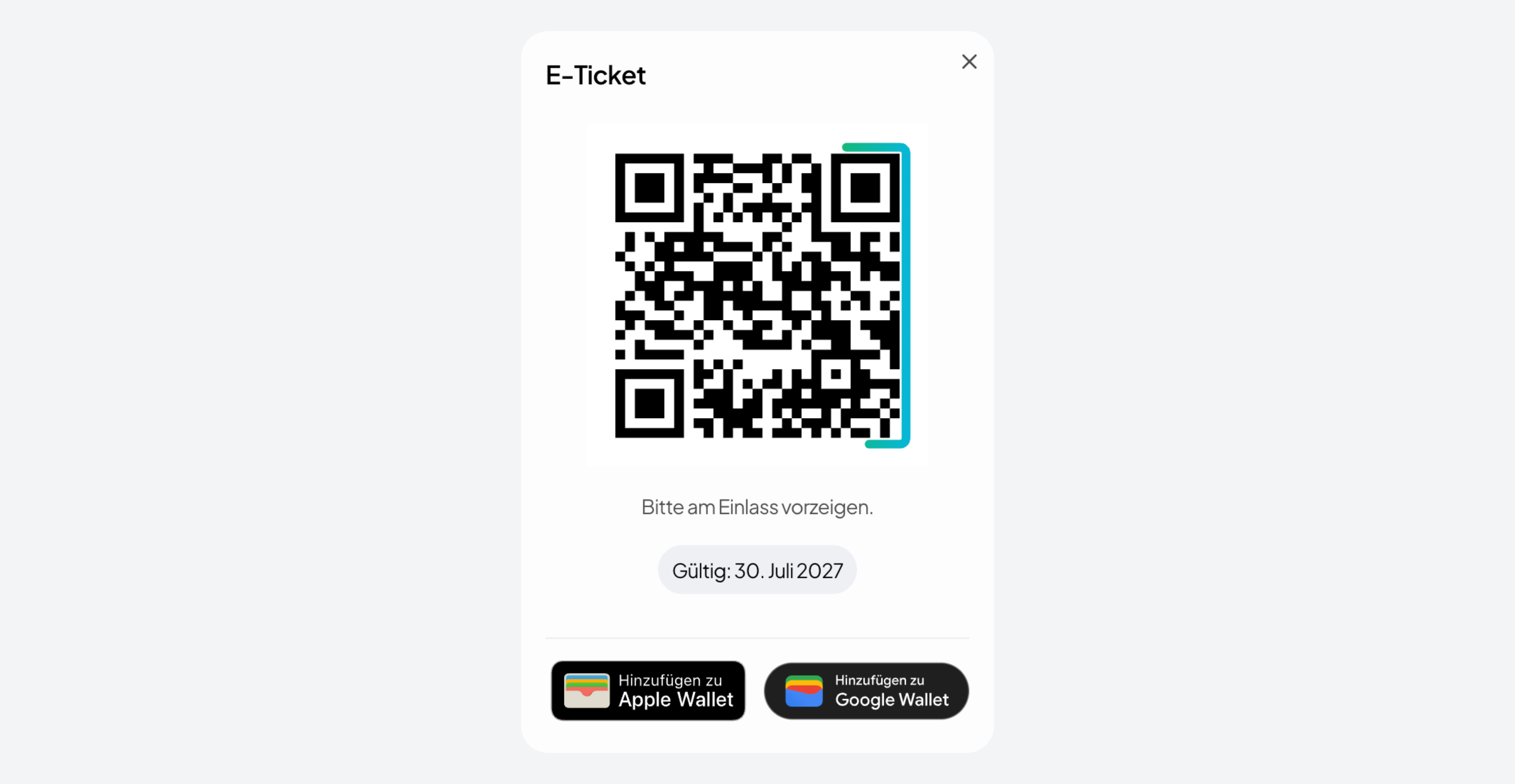
QR code in the booking view
Attendees open their ticket in the ticket shop and show the QR code at the door. Unique per ticket, scannable and redeemable once.
 PDF ticket
PDF with QR code by email
Orbance generates a PDF with QR code per ticket – sent via document notification and available for download in the booking view.

 Wallet
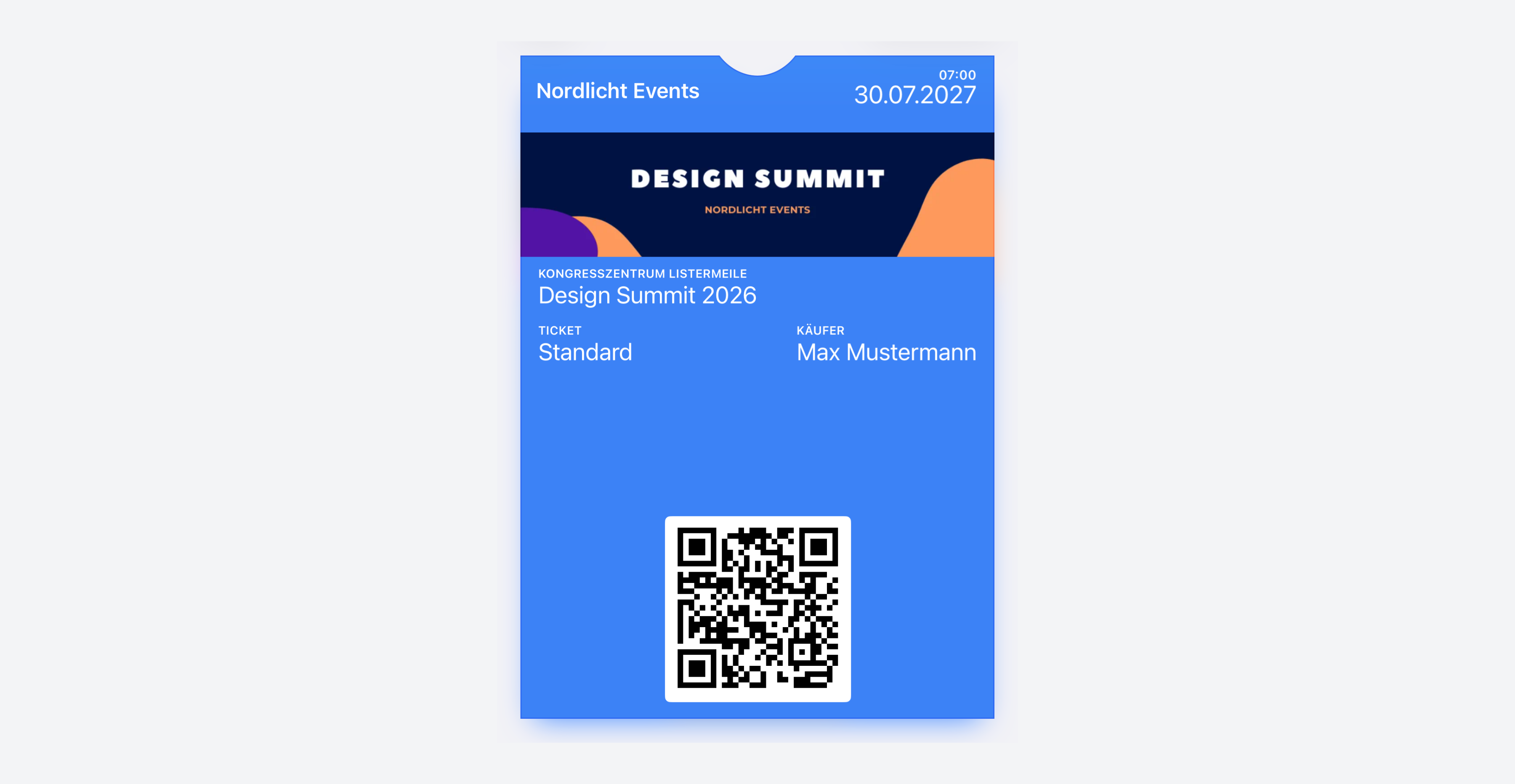
Apple Wallet & Google Wallet
With e-ticket enabled, attendees can save the pass to Apple Wallet or Google Wallet – with branding per provider.


From ticket to check-in
Four steps from configuration to redemption at the door.

Enable formats
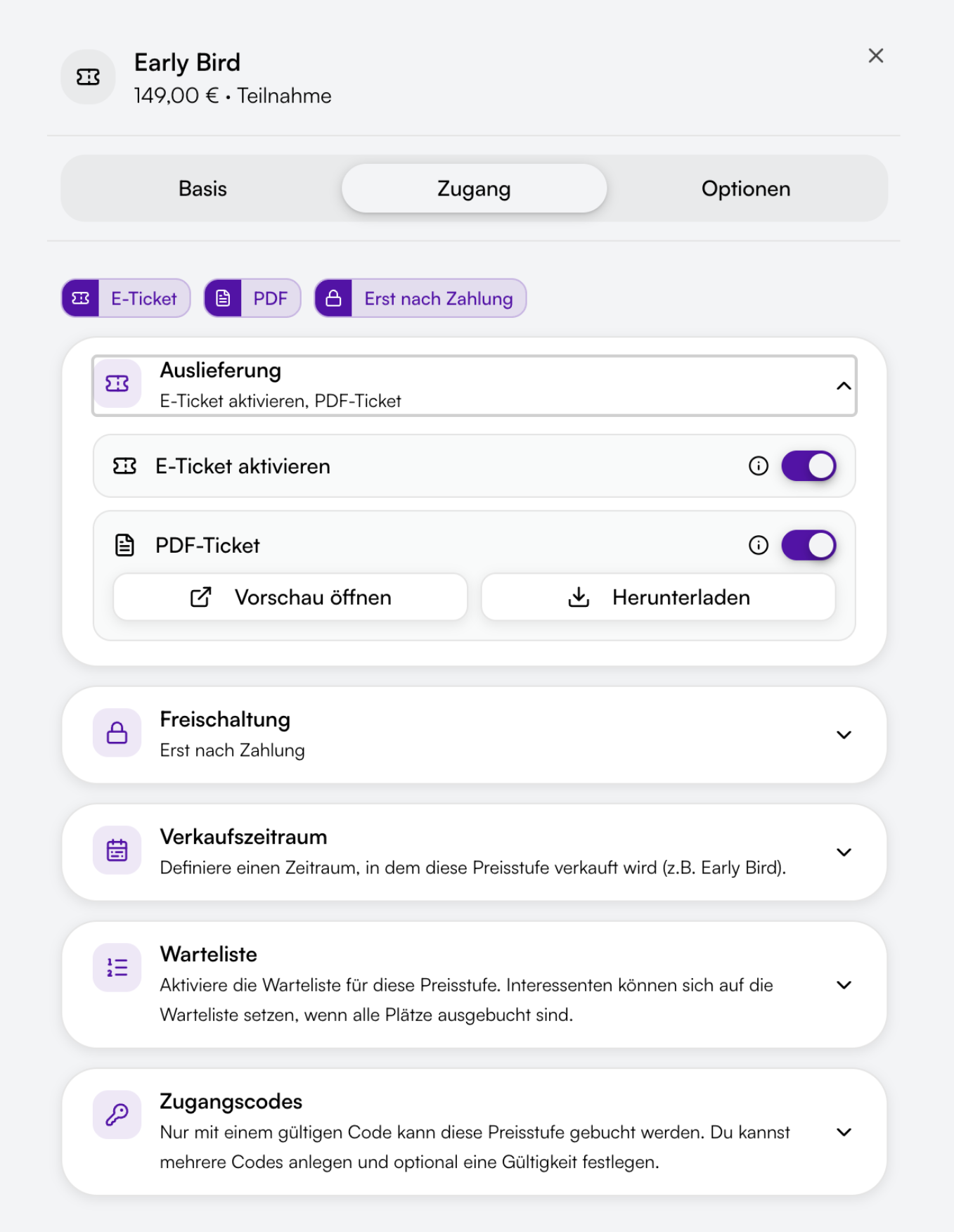
Turn on e-ticket, PDF ticket and unlock rules per price tier in the event editor – including optional PDF preview before publication.

Deliver tickets
After booking, attendees get access to the booking view, emails with PDF and optional wallet passes – once unlock rules and payment status match.

Show QR code
In the ticket shop, attendees open their ticket and show the QR code – or use the wallet pass. Clear messages appear when payment is still pending.

Scan at the door
Your team uses the ticket scanner on smartphone or tablet: scan QR, verify ticket and optionally confirm name before redeeming.
Configure tickets per price tier
Enable formats, unlock rules and name capture precisely – not blanket settings for the whole event.

Per price tier
Enable e-ticket and PDF ticket per price tier in the event programme – with badges like "E-ticket" and "PDF" directly on the tier.

Unlock rules
QR code and PDF only after payment – optionally from a fixed date. Attendees see clear hints in the booking view until then.

Ticket holder
Capture names per ticket or per person – the scanner can require a name check before redemption.

Branding
Set logo and layout for PDF tickets and background colour and logo for wallet passes centrally in document settings.
Everything under control on event day
Scanner, validation and connection to bookings – for smooth operations on site.
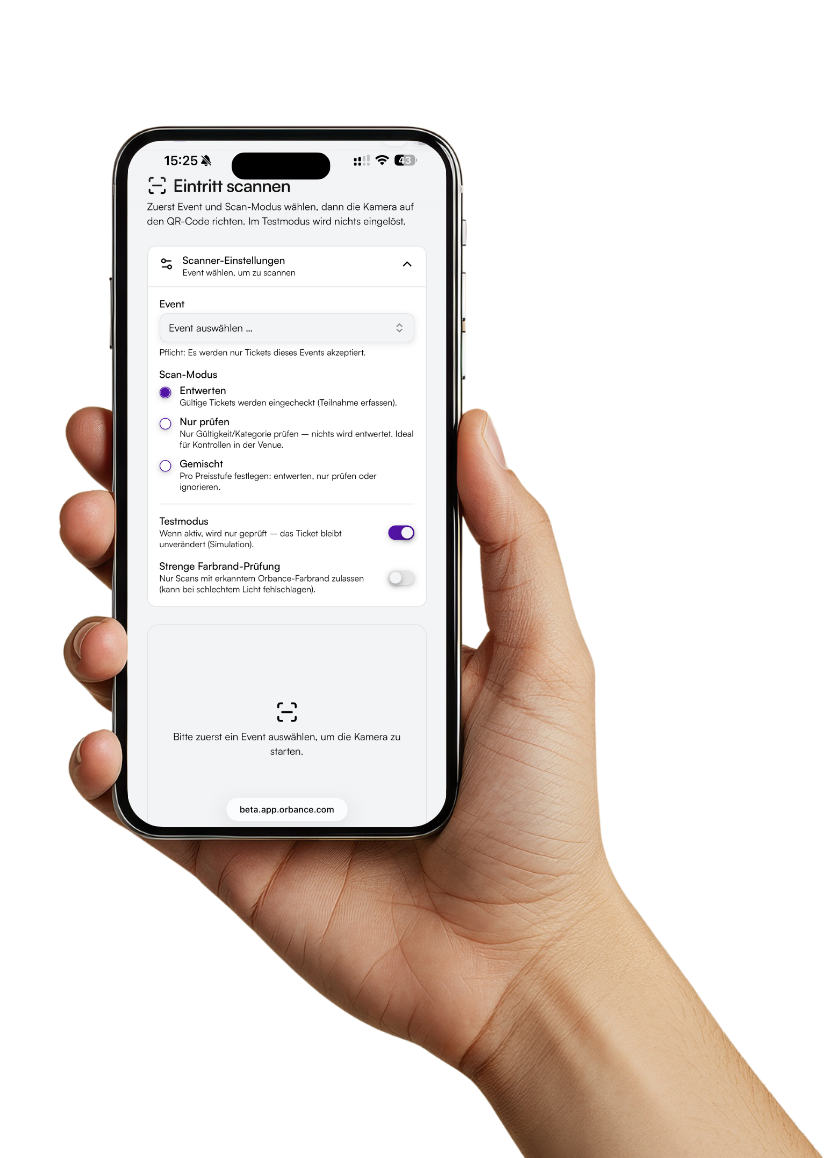
Ticket scanner
Mobile web app in Orbance: point the camera at the QR code, see ticket and event info and record attendance.

One-time redemption
Each QR code is valid once per ticket. Already redeemed tickets are clearly shown as invalid on scan.
Test mode
Try the scanner before the event in test mode – with validation but without actual redemption.
Validation on scan
The scanner checks booking status, payment and unlock rules – only valid tickets can be redeemed.
Bookings & attendees
Individual tickets with status and ticket holder in the booking overview – ideal for check-in preparation.

Document settings
Maintain PDF layout and wallet branding centrally – consistently across events and providers.

Ready for professional tickets and check-in?
Issue e-tickets and PDF tickets, control unlock rules – and scan at the door with the Orbance ticket scanner.
From the blog
Related articles on this topic.
Frequently asked questions about tickets & check-in
Short answers on ticket formats, unlock rules, scanner and mobile use.
Per price tier you can enable e-tickets with QR code in the booking view, PDF tickets by email and optional wallet passes for Apple and Google – individually or combined.
The e-ticket appears as a QR code in the booking view in the ticket shop. The PDF ticket is generated as a PDF with QR code, sent by email and can also be downloaded.
By default only after payment is recorded – for free events this step is skipped. Optionally you can set an additional unlock date. Until then, the booking view shows appropriate messages.
Open "Scan entry" in Orbance on a smartphone or tablet, point the camera at the QR code and confirm the ticket holder if required. The ticket is redeemed once and recorded as attended.
The ticket scanner uses the device camera and is optimised for iPhone, iPad and Android. For entry we recommend smartphones or tablets – so you can scan QR codes quickly and reliably on site.